
KPT Retouch app icon

KPT Retouch

Offline AI picture editing

KPT Retouch: An AI picture editor inside PowerPoint.

Photoshop-style edits and generative AI that run entirely on your Mac.

BASIC · Free
  • PowerPoint

BASIC is free. Version 1.0.0 · PowerPoint for Mac

Animated preview using real screenshots of the full app. Generative Fill and Upscale are ADVANCED features.

What it does

KPT Retouch in a minute

KPT Retouch is an offline, Photoshop-style picture editor that opens from a tab in PowerPoint. Select a picture, click Retouch, edit it and press Apply to Slide: the picture goes back into the same frame, with its crop, rotation and flips kept. Everything runs on your Mac and nothing is sent anywhere.

BASIC is a complete everyday editor with one AI tool, Remove, which takes objects out of a photo in seconds. The generative AI tools sit in the tab as locked entries, each telling you what it does in ADVANCED.

  • Remove, with offline AI

    Brush over an object and it is gone, filled in by an AI model on your Mac's graphics chip. Where that is not available, a classic content-aware fill does it instead.

  • Back into the same frame

    Apply to Slide puts the edited picture back with its crop, rotation and flips. Or insert it as a new picture, or save a PNG or JPEG copy.

  • Crop and transform

    Crop and expand to any ratio, straighten, rotate and flip, Free Transform with perspective and warp, Image Size and Canvas Size.

  • Adjust and filters

    Levels, Curves, Hue/Saturation, Colour Balance, Black & White, Auto Tone, and a full Filter menu.

  • Paint and select

    Marquee, lasso and magic wand, brush, clone stamp, healing brush, dodge and burn, gradient, shapes, and text in the deck's own fonts, Arabic included.

  • Layers and history

    Layers with opacity, blend modes and masks, and undo and redo for every step.

See it in action

Short demos

Quick clips of KPT Retouch at work. They are on their way.

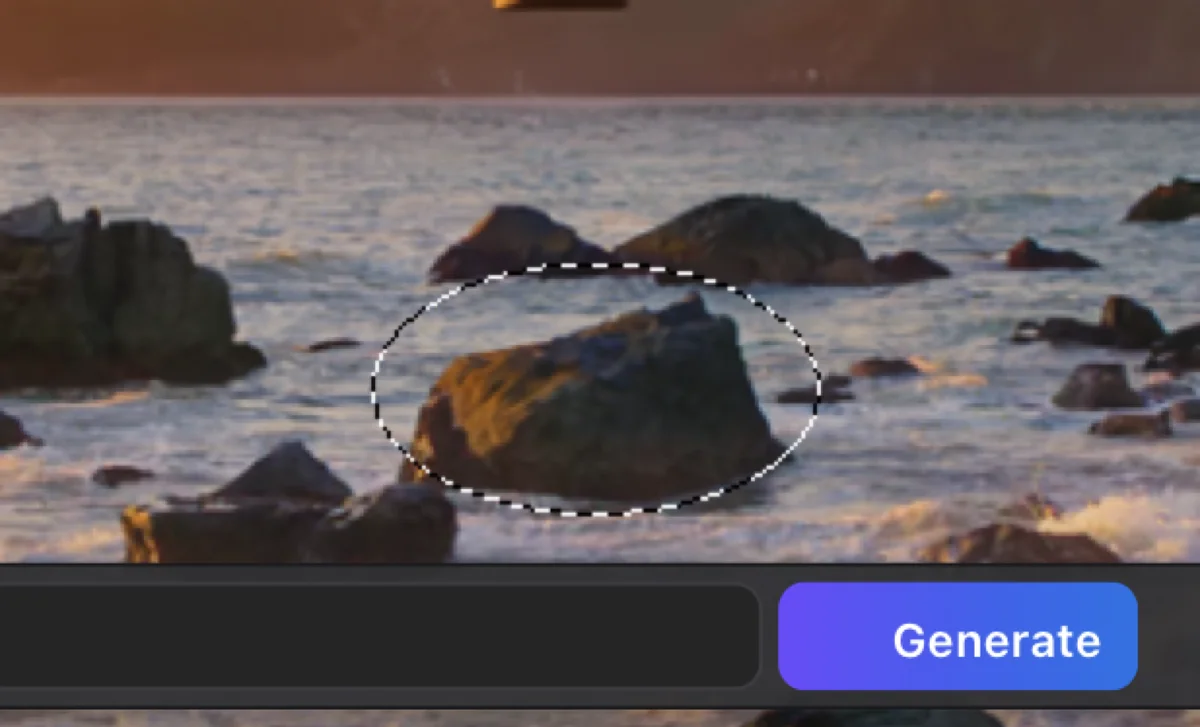
A photo with an unwanted object, before using Remove
Before
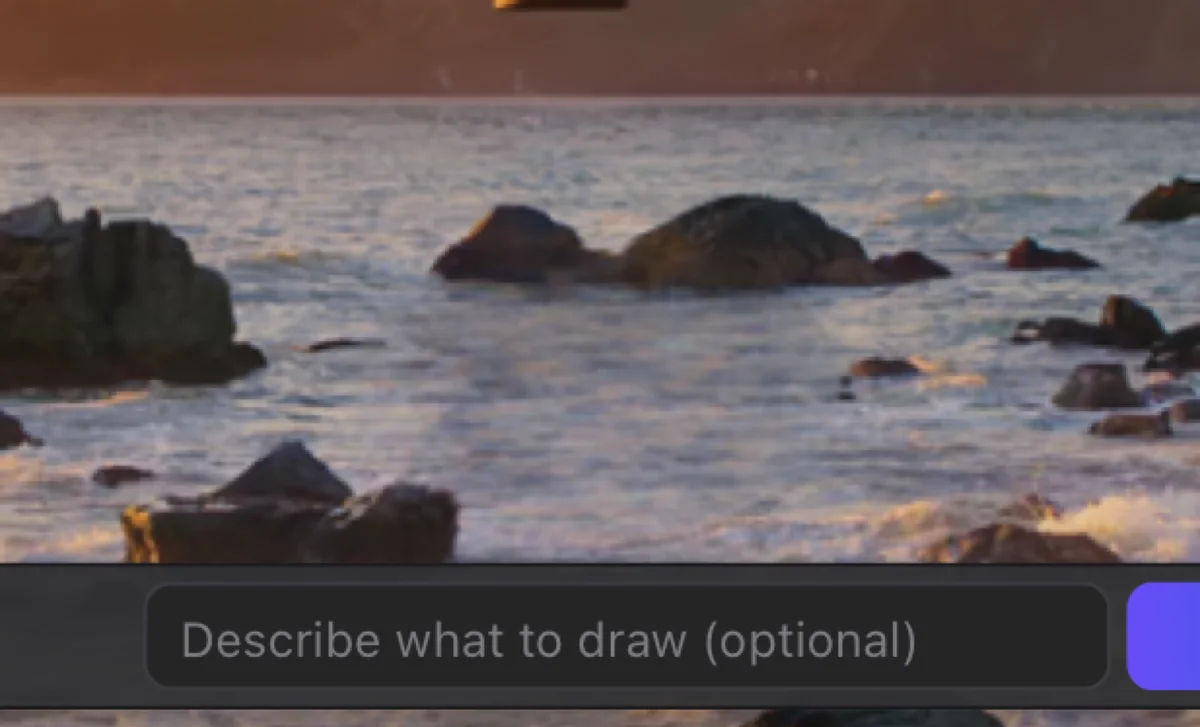
The same photo after the object was removed
After Remove
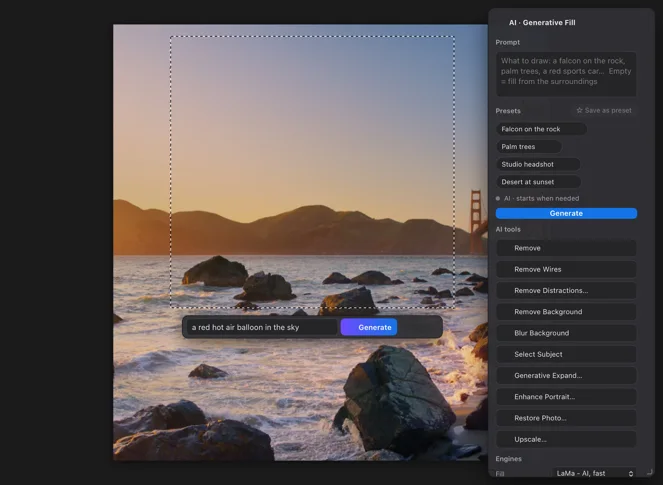
An area selected for Generative Fill
Generative Fill (ADVANCED): select an area and type words
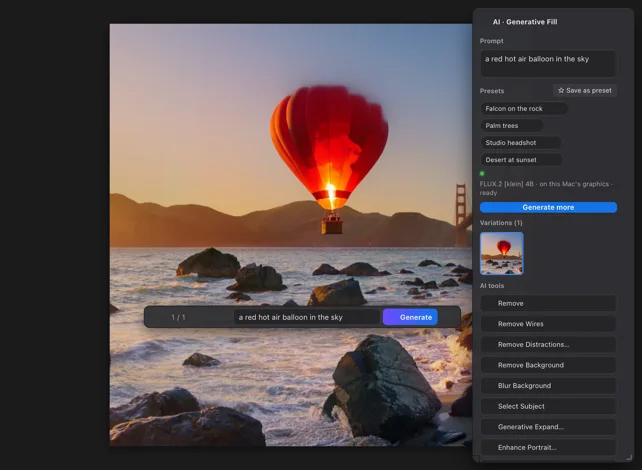
The Generative Fill result drawn on a new layer
The result, on a new layer (ADVANCED)
Remove an objectBrush over it, and it is gone. Free in BASIC.
Generative FillSelect an area and describe what you want. ADVANCED.
UpscaleTwo or four times, in place. ADVANCED.

Download

Download BASIC, free

No account, no time limit. Pick your platform.

PowerPoint for MacFree

KPT Retouch Basic for PowerPoint

Version
1.0.0
Size
198 MB
Requires
PowerPoint for Mac (tested with 16.113) on macOS 13 or later
Runs on
Apple silicon and Intel
Download BASIC (free).pkg · 198 MB
  • The largest download (about 190 MB): it carries the offline AI model for Remove, so nothing is downloaded later. About 230 MB once installed.
  • Asks for your Mac password. Installs the add-in and a small editor app, KPT Retouch Basic.
  • First run: click OK when macOS asks to let KPT Retouch Basic control PowerPoint.
Verify this download

SHA-256 fingerprint. In Terminal, run shasum -a 256 ‹file› and compare.

KPT-Retouch-Basic-1.0.0.pkg
a2e15e8f20481377de7873fb40cce14a1b77d9df3d94c4138e219ee08a522128

PowerPoint install guide

BASIC and ADVANCED

What is in each edition

Everything in KPT Retouch Basic, plus generative AI that runs on your Mac: Generative Fill, Expand and Upscale, Restore Photo, cut-outs, Select Subject, the command bar and more.

BASIC includes 7 tools. ADVANCED adds 17 more.

KPT Retouch: BASIC compared with ADVANCED (PowerPoint for Mac)
Feature BASICFree ADVANCEDComing soon
Included in BASIC
Open the selected picture and Apply to Slide, keeping its crop, rotation and flipsIncludedIncluded
Insert as a new picture, or save a PNG or JPEG copyIncludedIncluded
Crop and expand, straighten, rotate, flip, Free Transform, Image and Canvas SizeIncludedIncluded
Adjust panel, Levels, Curves, Hue/Saturation, Colour Balance and the Filter menuIncludedIncluded
Selections, brushes, clone stamp, healing brush, gradient, shapes and text (Arabic included)IncludedIncluded
Layers, blend modes, masks, undo and redoIncludedIncluded
Remove and Content-Aware Fill with offline AIIncludedIncluded
Added in ADVANCED · Generate
Generative FillDraw around where to add or replace something and type what to draw, or nothing, to fill from the surroundings. Three variations come back on their own layer, drawn by AI on this Mac.Not includedIncluded
Generative ExpandDrag the crop box past the edge, or pick a shape, and AI draws the new part of the picture.Not includedIncluded
Generative Upscale 2x and 4xMakes a small picture two or four times bigger with new, sharp detail, so it stays crisp when it is enlarged on the slide.Not includedIncluded
New Picture from WordsType what you want to see and a new picture is drawn on this Mac, at standard, 2K or 4K size.Not includedIncluded
Added in ADVANCED · Restore and remove
Restore PhotoRepairs an old, faded or damaged photo with AI on this Mac, starting from your own picture.Not includedIncluded
Enhance PortraitAI redraws the people as a clean, sharp, well-lit photo and checks that each face stays the same person.Not includedIncluded
Remove Wires and CablesFinds power lines and cables by their shape and paints them out, piece by piece, on a new layer.Not includedIncluded
Remove DistractionsFinds the people, cars and signs you do not want and removes them, piece by piece, on a new layer.Not includedIncluded
Added in ADVANCED · Select and cut out
Remove Background (cut-out)Finds the subject, people or objects, and makes everything else transparent, with clean hair and fine edges.Not includedIncluded
Select SubjectOne click selects the main subject of the picture, ready for a mask or a cut-out.Not includedIncluded
Object SelectionHover over an object and click it, drag a box round it, or type its name, and it is selected.Not includedIncluded
Added in ADVANCED · Work faster
Type What To Do (command bar)A bar that understands plain English and Arabic: "brighter and warmer, then crop 16:9", "remove the background".Not includedIncluded
Looks (colour presets)One-click colour looks such as Warm, Film, Teal and Orange or Noir, with an amount slider, and your own saved looks.Not includedIncluded
Keep layers for laterApply remembers your layers and editable text with the picture, so you can reopen it and carry on.Not includedIncluded
Edit several pictures at onceSelect up to 12 pictures and each one opens in a tab of its own.Not includedIncluded
Added in ADVANCED · Files and graphics
Photoshop (PSD) filesSave every layer and mask to a Photoshop file, and open Photoshop files with their layers.Not includedIncluded
Graphics and picture fillsEdit SVG graphics and icons, and shapes that are filled with a picture.Not includedIncluded

Waitlist

ADVANCED: coming soon. Join the waitlist.

We are finishing our UAE business licence before we open sales. Join the waitlist and we will email you the day ADVANCED opens.

We will only email you about ADVANCED and the apps you pick, and you can ask us to remove you at any time. See the privacy policy.

FAQ

Questions, answered

What is free in KPT Retouch Basic?

A complete everyday editor: crop and transform, adjustments and filters, selections, painting, text, layers and masks, and the AI Remove tool. It is free, with no time limit.

Does it need the internet?

No. Everything runs on your Mac, including the AI model behind Remove, and nothing is sent anywhere.

How much space does it need?

The BASIC download is about 190 MB and takes about 230 MB once installed, most of it the AI model behind Remove. ADVANCED's full AI model set is much larger, about 23 GB.

Which Macs will it run on?

PowerPoint for Mac on macOS 13 or later, on Apple silicon and Intel. Remove runs its AI model on the Mac's graphics chip; where that is not available, it uses a classic content-aware fill, so it always works.

Why does it ask to control PowerPoint?

The editor reads the selected picture from PowerPoint and puts the result back. macOS asks once, the first time: click OK.

Why does the installer ask for my Mac password?

It installs the add-in into Office's system-wide Startup folder, which PowerPoint scans at launch, and the editor into Applications. It never writes into PowerPoint's own container or registry.

How do I remove it?

Double-click Uninstall KPT Retouch Basic.command in /Library/Application Support/KPT/KPT Retouch Basic/. It removes only BASIC's files and leaves ADVANCED alone.

I installed it but cannot find the tab.

Quit PowerPoint completely (Cmd-Q) and open it again. The Retouch Basic tab appears in the ribbon. If it is still missing, see the PowerPoint install guide or contact us.

When can I buy ADVANCED?

Not yet. We are completing our UAE business licence before we take payments. Join the waitlist and we will email you the day sales open.

More from KHBROS

The rest of the PowerPoint toolkit

  • BASIC · Free

    KPT Style: Colour and scale

    Colour and scale

    Ten palettes, a contrast guard that keeps text readable, and Scale by % for PowerPoint.

    • PowerPoint
  • BASIC · Free

    KPT: The PowerPoint toolkit

    The PowerPoint toolkit

    Text, arrange and table tools that save clicks on every deck.

    • PowerPoint
  • BASIC · Free

    KPT Pen Lab: Pen and vector tools

    Pen and vector tools

    A see-through pen layer for PowerPoint. Draw, then place your drawing as native shapes.

    • PowerPoint